where
previously the textures were bound when they were loaded to 0
(texNumOn) and 1 (texNumOff)
To create a cycle between these two images:
as
Remember that you can't send a GL texture ID (which is a GLuint
that is
usually generated by glGenTextures) as your sampler, so you
cant ask OpenGL for a textureID and then pass that along. The GL
texture ID is only valid in the main program. A sampler
should be from 0 to the maximum number of texture image units.
Another example is a wobble as described in chapter 16 of the
Orange Book (chapter 13 of the first edition)
where a sin function is used to perturb the texture coordinates.
In the Orange book the sin is apprximated since the sin function
didnt
exist in GLSL at that point in time.
Vertex Shader
// Vertex shader for
wobbling a texture // Author: Antonio Tejada // Copyright (c) 2002-2004
3Dlabs
Inc. Ltd. // See 3Dlabs-License.txt for
license information
// Fragment shader for
wobbling a
texture // Author: Antonio Tejada // Copyright (c) 2002-2004
3Dlabs
Inc. Ltd. // See 3Dlabs-License.txt for
license information
// Tweaked by Andy to use the sin function
void main (void) { vec2
perturb; float rad; vec3
color;
// Compute
a
perturbation factor for the x-direction
// TexCoord.s
and
TexCoord.t
range
from
0
to
1 rad =
(TexCoord.s + TexCoord.t - 1.0 + StartRad) * Freq.x;
perturb.x = sin(rad) * Amplitude.x;
// Now
compute
a perturbation factor for the y-direction rad =
(TexCoord.s - TexCoord.t + StartRad) * Freq.y;
perturb.y = sin(rad) * Amplitude.y;
float Alpha = 1.0; // 1.0 -> no
change
//
0.0
->
modified
version
vec3 orig, mod, color;
orig = vec3(texture2D(Source, TexCoord.st));
mod = vec3(texture2D(Target,
TexCoord.st));
color = orig * Alpha + mod * (1.0 - Alpha);
gl_FragColor = vec4 (color, 1.0);
}
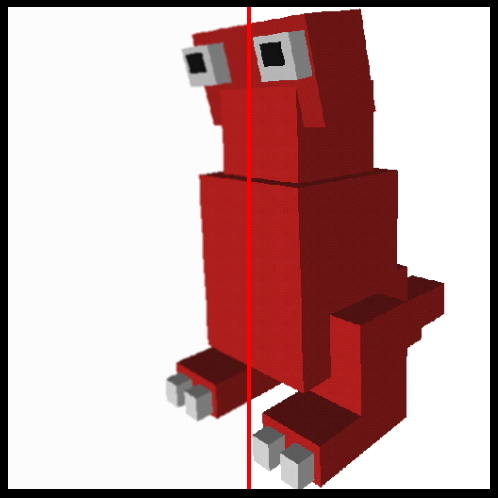
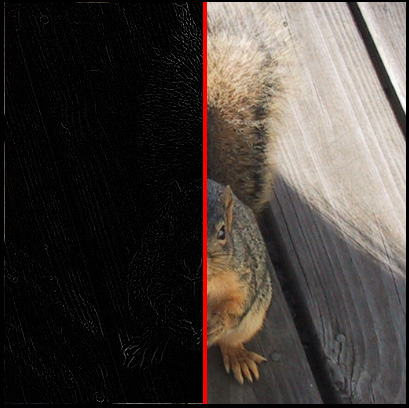
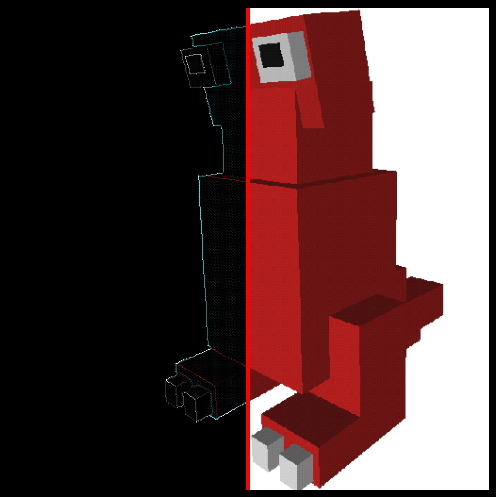
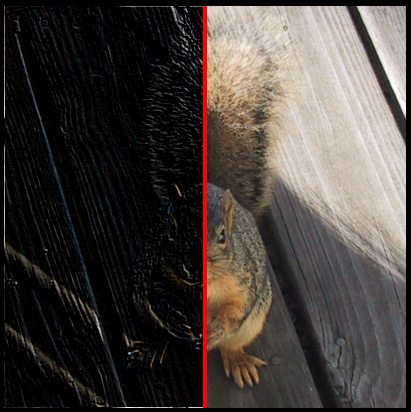
giving these increasingly blurry images
Convolution
Filtering an image using a convolution kernel. This will lead
nicely
into the GPGPU work coming soon.
Some issues:
- We have seen that
each fragment is processed independently (and
perhaps in parallel) so how does the fragment shader get access
to data
from its neighbourhood? We have been passing a texture
coordinate to
the fragment shader. Now we will also need to let the fragment
shader
know the dimensions of the texture. Given the dimensions of the
texture
(e.g. 512 x 512) the fragment shader can calculate the texture
coordinates of the neighbours and do additional texture lookups.
- We also don't have
2-dimensional arrays so we need to use
1-dimensional arrays for the kernel, indexed appropriately.
- We can make the
kernel any size we want, though performance will be
affected by larger kernel sizes.
There are examples on
web link given next, which also illustrates some
of the issues in using GLSL on different graphics cards with
different
capabilities:
I tried to create my
own hybrid of the various code given there that
would be pretty generic. This shader is nice because it splits
the
image in half and shows does the convolution only on the
left-hand side.
Vertex Shader (same as before)
varying vec2 TexCoord;
void main (void) { TexCoord
= gl_MultiTexCoord0;
gl_Position = ftransform();
} // right of the center line - leave the image
alone else if(
TexCoord.s>0.505 )
{
sum = texture2D(colorMap, TexCoord.xy);
} else // on the
center line - draw red
{
sum = vec4(1.0, 0.0, 0.0, 1.0);
}
gl_FragColor =
sum; }
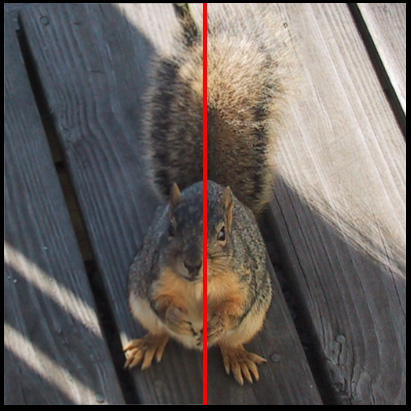
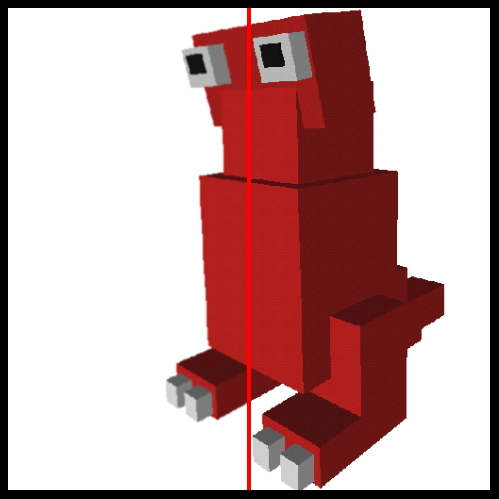
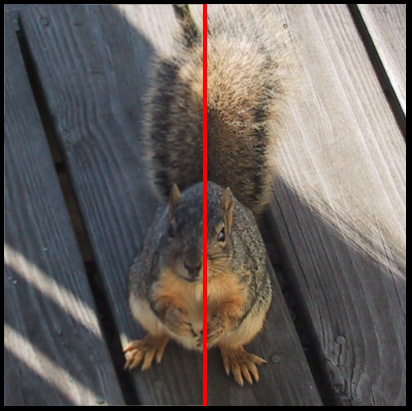
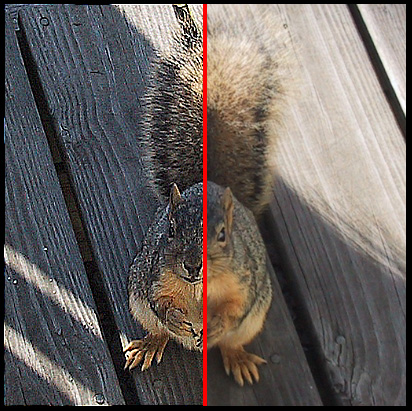
We will be using these images as the sources:
The
code
above uses a gaussian filter to blur the image // 1/16 2/16 1/16 // 2/16 4/16 2/16 // 1/16 2/16 1/16
Mean filter to reduce noise // 1/9 1/9
1/9 // 1/9 1/9 1/9 // 1/9 1/9 1/9
In all those cases we
started with a texture and then manipulated it. Another approach
is to
use OpenGL (possibly with some shaders) to generate some 3D
graphics,
capture the 2D image of those graphics, then use that as a
texture for
another pass through a different set of shaders.
Once you
have
done the first pass and rendered some graphics, you copy the
contents
of the frame buffer back into a texture:
Read the
texture
data back out of the texture
glGetTexImage(GL_TEXTURE_2D, 0, GL_RGB, GL_UNSIGNED_BYTE,
frameBuf);
Flip it
upside
down so its rightside up for (h=0;
h<winHeight;h++)
memcpy(&frameBufFlip[end-h*rowSize], &frameBuf[h*rowSize],
rowSize); and then
store
the now rightside up texture for use with the convolution kernels
glBindTexture(GL_TEXTURE_2D, frameFlip);
glTexImage2D(GL_TEXTURE_2D, 0, GL_RGB, 512, 512, 0, GL_RGB,
GL_UNSIGNED_BYTE,
(const
GLvoid
*)
frameBufFlip);
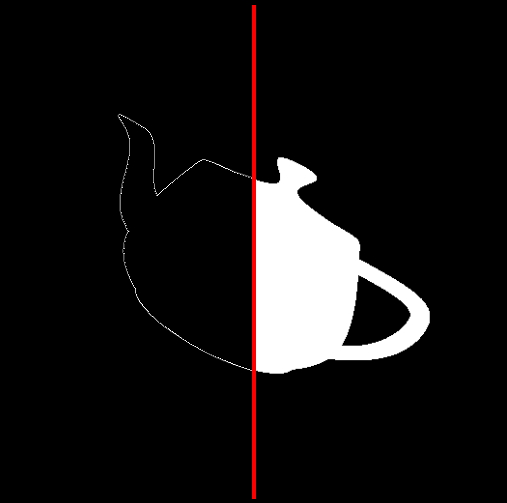
So I could draw the
typical teapot and dynamically turn it around and then run the
resulting image through the convolution kernels above to get
this
outline of a teapot. Quite a few graphical shader effects
require
multiple passes.
and here is a gzipped tar file of
the
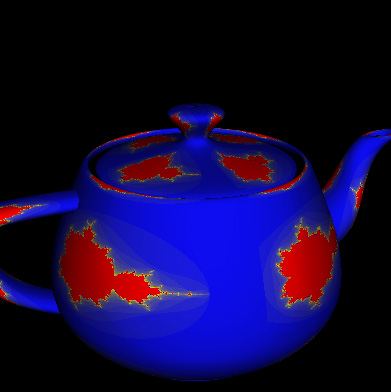
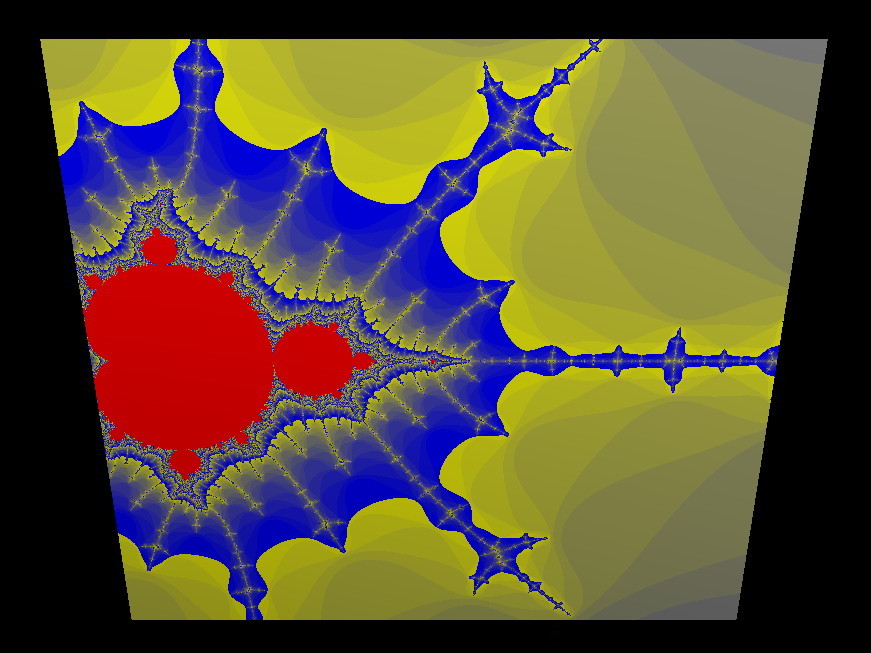
convolution code Mandelbrot
This code is
pretty much straight out of the orange book. It is similar
to
the brick shader in that it procedurally generates a texture
vertex shader
// Vertex shader for drawing the Mandelbrot set
// Authors: Dave Baldwin, Steve Koren, Randi Rost
// based on
a
shader by Michael Rivero
// Copyright (c) 2002-2004: 3Dlabs, Inc.
// See 3Dlabs-License.txt for license information
//
// Fragment shader for drawing the Mandelbrot set
// Authors: Dave Baldwin, Steve Koren, Randi Rost
// based on
a
shader by Michael Rivero
// Copyright (c) 2002-2004: 3Dlabs, Inc.
// See 3Dlabs-License.txt for license information
// tweaked a little bit by andy
float MaxIterations = 120.0; // was 30.0 - how far can we zoom in
uniform float Zoom;
uniform float Xcenter;
uniform float Ycenter;
vec3 InnerColor = vec3(1.0, 0.0, 0.0); // red
vec3 OuterColor1 = vec3(0.0, 0.0, 1.0); // blue
vec3 OuterColor2 = vec3(1.0, 1.0, 0.0); // yellow
void main(void)
{
float real = Position.x *
Zoom +
Xcenter;
float imag = Position.y *
Zoom +
Ycenter;
float Creal = real; //
Change this line...
float Cimag = imag; //
...and this one to get a Julia set
float r2 = 0.0;
float iter;
for (iter = 0.0; iter < MaxIterations
&&
r2 < 4.0; ++iter)
{
float tempreal = real;
if (r2 < 4.0)
color = InnerColor;
else
color =
mix(OuterColor1,
OuterColor2, fract(iter * 0.05));
color *= LightIntensity;
gl_FragColor = vec4 (color, 1.0);
}
allowing us
to
generate pretty pictures like the following
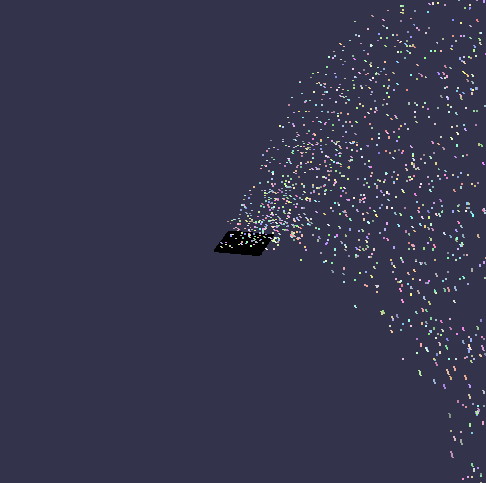
Particle
System
Another example form
the orange book. This confetti canon has a 2d
array of particles (100 x 100) starting on a square. Each one
has a
random colour a random starting time, and a semi-random starting
velocity. All of the 100x100 particles move through the vertex
shader.
Those that are 'alive' have their current position computed in
the
vertex shader (based on the current time, and their initial
velocity)
and are displayed as a point. The main application simply sets
up the
initial conditions and increments the time - the vertex shader
handles
all the computation. We will look at a similar particle system
in cuda
in a few weeks.
fragment shader:
varying vec4 Color;
void main (void) {
gl_FragColor =
Color; }
vertex shader:
uniform float
Time;
//
updated each frame by the application uniform vec4
Background; // constant color equal
to
background attribute vec3
Velocity; // initial velocity attribute float
StartTime; // time at which particle is
activated
varying vec4 Color; void main(void) { vec4
vert; float t =
Time
- StartTime;
if (t >=
0.0) {
vert
=
gl_Vertex
+
vec4
(Velocity
*
t,
0.0);
vert.y
-=
4.9
*
t
*
t;
Color
=
gl_Color; } else {
vert
=
gl_Vertex;
//
Initial
position
Color
=
Background;
//
"pre-birth"
color }
gl_Position = gl_ModelViewProjectionMatrix * vert; }
When this course was taught in 2006
general computation on the GPU required the programmer to map
the computational problem into a graphics problem. Nvidia's CUDA
(Compute Unified Device Architecture) makes this easier by
allowing a programmer to use C and familiar arrays to do work on
the GPU.
Rather than connecting multiple CPU
cores together, or connecting multiple machines together into a
compute cluster via MPI, CUDA gives a programmer access to a
much large number of small parallel processors on a single card.
While this capabilitity wont speed up your word processor, it
can dramatically increase the speed of many computational
applications. Aside from the practical speedups you can get from
learning CUDA, programming for CUDA illustrates general
techniques that are applicable to large scale parallel
processing problems such as those that will be performed on
NCSA's blue waters machine and other petascale computers.
CUDA works on Nvidia 8-series and newer cards. A list of supported
cards is given here: http://www.nvidia.com/object/cuda_learn_products.html eg the
GeForce 8800 GTX has 128 thread processors can can have 12,288
active threads
As with GLSL we split the problem
solving into work in the main program on the CPU (or the host)
and work that is done on the GPU. In graphics we have vertex
shaders, geometry shaders, and fragment shaders, in CUDA we just
have a single type of kernel.
In graphics whenever we pass vertices into the pipeline the
currently active shaders are automatically run. In CUDA we
specifically invoke the kernel when needed. Once invoked the GPU
will deal with the kernel while the CPU will go on with its work
(or wait if that's what you prefer).
A very important part of this is that you have to think about
how to solve problems differently in this kind of computational
environment. Instead of doing the computation in a specific
order, each thread can run in parallel and each thread needs to
know which part of the total problem it should work on so all
the work gets done and the threads dont step over each other.
In the example above all of the threads have access to all three
arrays. Each thread needs to work out which part of the arrays
it is supposed to work with. In this case each thread finds its
part of the array and handles one addition. Each thread could
handle 1 addition, 3 additions, an entire row, etc depending on
what is necessary. Its also possible (and likely) to
have threads that start running but have no work to do.
CUDA has a lot of built-in flexibility on the assumption that
there will be dramatic increases in the power of these
'graphics' cards. That means there are many ways to divide up
and solve the same problem, and many different aspects that can
be optimized for different hardware configurations.
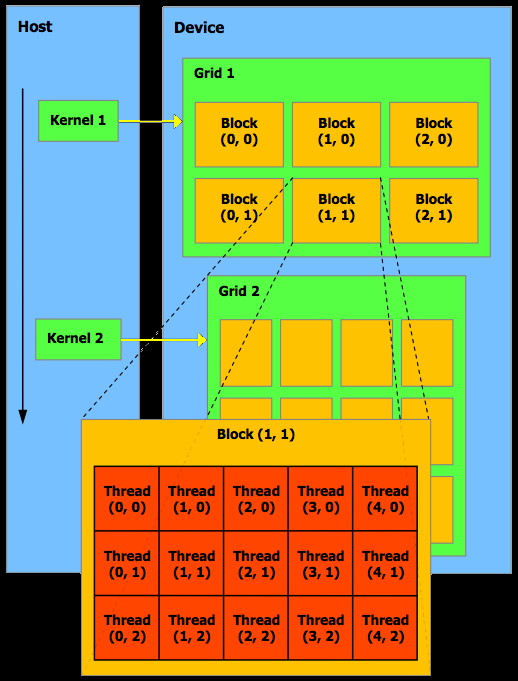
The programming
guide goes into more detail about threads and blocks and grids.
A kernel can be executed by
multiple equally-shaped thread blocks, so that the total
number of threads is equal to the number of threads per block
times the number of blocks. These multiple blocks are
organized into a one-dimensional or two-dimensional grid of
thread blocks. The dimension of the grid is specified by the
first parameter of the <<<…>>> syntax. Each
block within the grid can be identified by a one-dimensional or
two-dimensional index accessible within the kernel through the
built-in blockIdx variable.
The dimension of the thread block is accessible within the
kernel through the built-in blockDim
variable.
For
a one-dimensional block, the index of a thread and its
thread ID are the same; for a 2D block of
size (Dx, Dy), the thread ID of the thread with index (x, y) is
(x + y Dx); for a 3D block of size (Dx, Dy, Dz), the thread ID
of the thread with index (x, y, z) is (x + y Dx + z Dx Dy).
Threads
within a block can cooperate among themselves by sharing data
through some shared memory in the block and synchronizing their
execution to coordinate memory accesses. More precisely, one can
specify synchronization points in the kernel by calling the
__syncthreads() intrinsic function; __syncthreads() acts as a
barrier at which all threads in the block must wait before any
are allowed to proceed. We will look at an example of this at
the end of this page.
Here is a more general version of the code given above with a 2D
grid of blocks and each block having a 2D (blocksize x
blocksize) array of kernels:
__global__void
add_matrix_gpu (float *a, float *b, float *c, int N) { int i =
blockIdx.x * blockDim.x + threadIdx.x; int j =
blockIdx.y * blockDim.y + threadIdx.y; int index =
i + j*N;
if ( i <
N && j < N)
c[index] = a[index] + b[index]; }
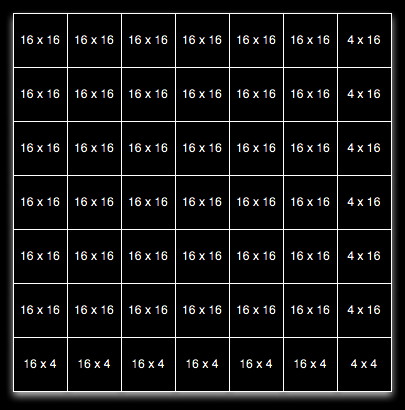
Lets say we
set blocksize to 16 which gives us a maximum of 16 x 16 or
256 threads per block so blockDim.x and blockDim.y are each 16 and
threadIdx.x and threadIdx.y each range from 0 to 15. Since we are
adding 2D matrices we lay out the threads in the blocks and the
blocks in the grid in a 2D array to make it easier to compute
which matrix element each thread should work on, but that's just
for convenience.
If N = 100
(i.e. we are adding two arrays that are 100 x 100 each) then
dimGrid is 7,7 and blockIdx.x and blockIdx.y each range from 0 to
6.
This means
that we have a 7 x 7 grid of blocks, each of which has 16 x 16
threads so 12,544 threads will be started to solve this problem
for us, only 10,000 of which will do actual work.
Later on we will talk about how the arrays get into the memory of
the graphics card.
With CUDA you
have grids of blocks of threads.
Each thread has a thread ID. The
threads within a block can be synchronized and have access to
fast shared memory within the block as well as access to the
slower global memory of the card. Threads in different blocks
can not synchonize with each other. A block can contain a
limited number of threads (currently 512). With CUDA threads can
interact with each other - that was not true in the 'old' days
of graphics-processing only GPUs.
A block has
a block ID and can be specified as 1D, 2D, or 3D array of
threads. Blocks of the same size and dimensionality are
organized together into grids. Grids can be organized in 1D or
2D arrays. This is shown nicely in this image from the CUDA
Programming Guide.
Each grid is handled by a single
GPU. Each block (with a max of 512 threads) in the grid is
handled by a single stream multiprocessor (could be anywhere
from 1 to 120 stream multiprocessors) on that GPU. Each thread
in the block is handled by a single stream processor within that
stream multiprocessor. Each stream multiprocessor has 8 stream
processors so # of multiprocessors * 8 gives you the number of
cores on the GPU.
All of the
blocks being processed at the same time are 'active' blocks.
Registers and shared memory of a multiprocessor are split among
the threads of the active blocks. Each active block is split
into groups of threads called 'warps' where each warp contains
the same number of threads - the 'warp size' (which is currently
32).
You can
have a maximum of 8 active blocks per stream multiprocessor or a
max of 24 active warps per stream multiprocessor. With 32
threads per warp that gives you a maximum of 768 active threads
per stream multiprocessor. On a card like the GTX 285 that gives
you 23,040 active threads. Note that you may not have enough
other resources (registers, shared memory, etc) to perform the
tasks efficiently, so its not just about having enough threads.
The Blocks and the warps within a block can execute in any order.
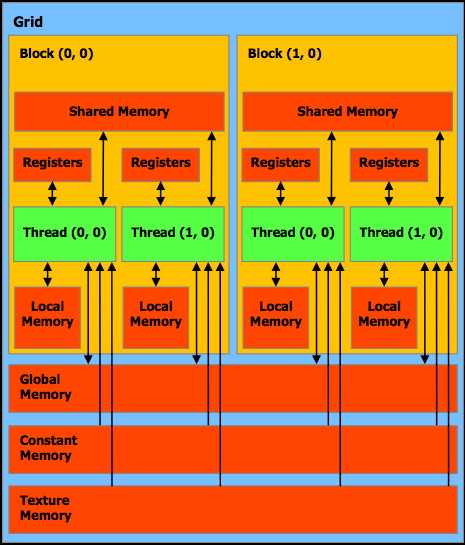
Each thread can:
Read-write
per-thread
registers
fastest
Read-write
per-thread
local memory
slow
Read-write
per-block
shared memory
fast
Read-write
per-grid
global memory
slow
Read-only
per-grid
constant memory
slow (but often cached)
Read-only
per-grid
texture memory
slow
This is shown
nicely in this image from the CUDA Programming Guide.